
















Last quarter, we continued to strengthen HaloITSM’s flexibility, usability, and intelligence, introducing new capabilities that make managing your ITSM and ESM environments even more seamless. Our latest enhancements focus on improving portal experiences, expanding AI functionality, refining reporting, and giving teams greater control across tickets, dashboards, and configuration.
With updates spanning search, approvals, SLA visibility, reporting outputs, and self-service customisation, HaloITSM continues to evolve as a powerful platform for modern service delivery.
See what’s new below.
1. Searchable Configuration Settings
Finding configuration options is now faster with searchable settings.
Once enabled under Configuration > Advanced Settings, administrators can search for settings directly from the All Features screen. Selecting a result takes you to the exact location of the setting, scrolling it into view and highlighting it for clarity.
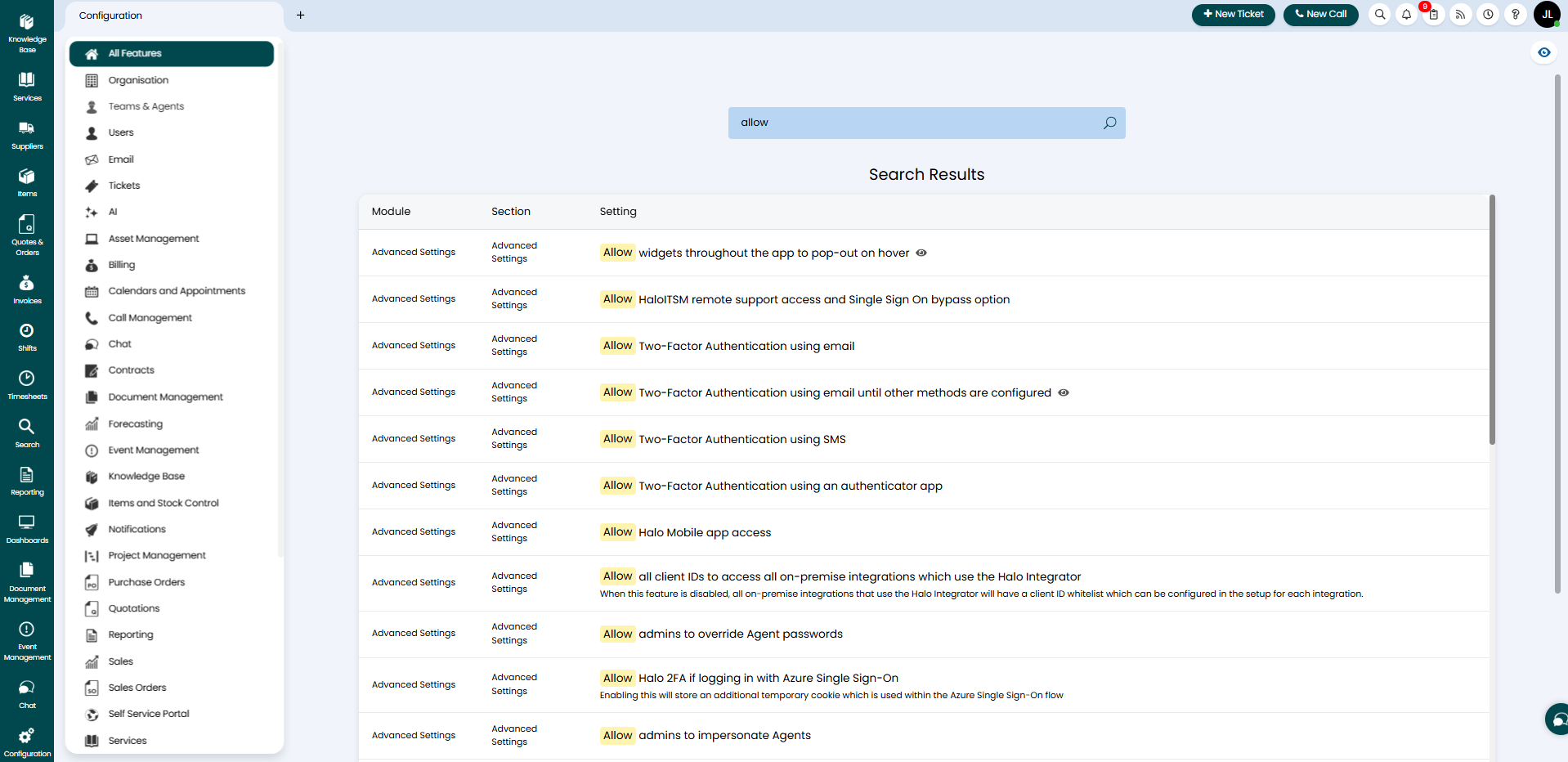
Settings with visibility conditions are also clearly indicated, helping administrators understand when a setting may be hidden based on other configuration values.
2. Item Catalogue & Optional Service Enhancements
The item catalogue has been extended to support more flexible optional services and item selection workflows.
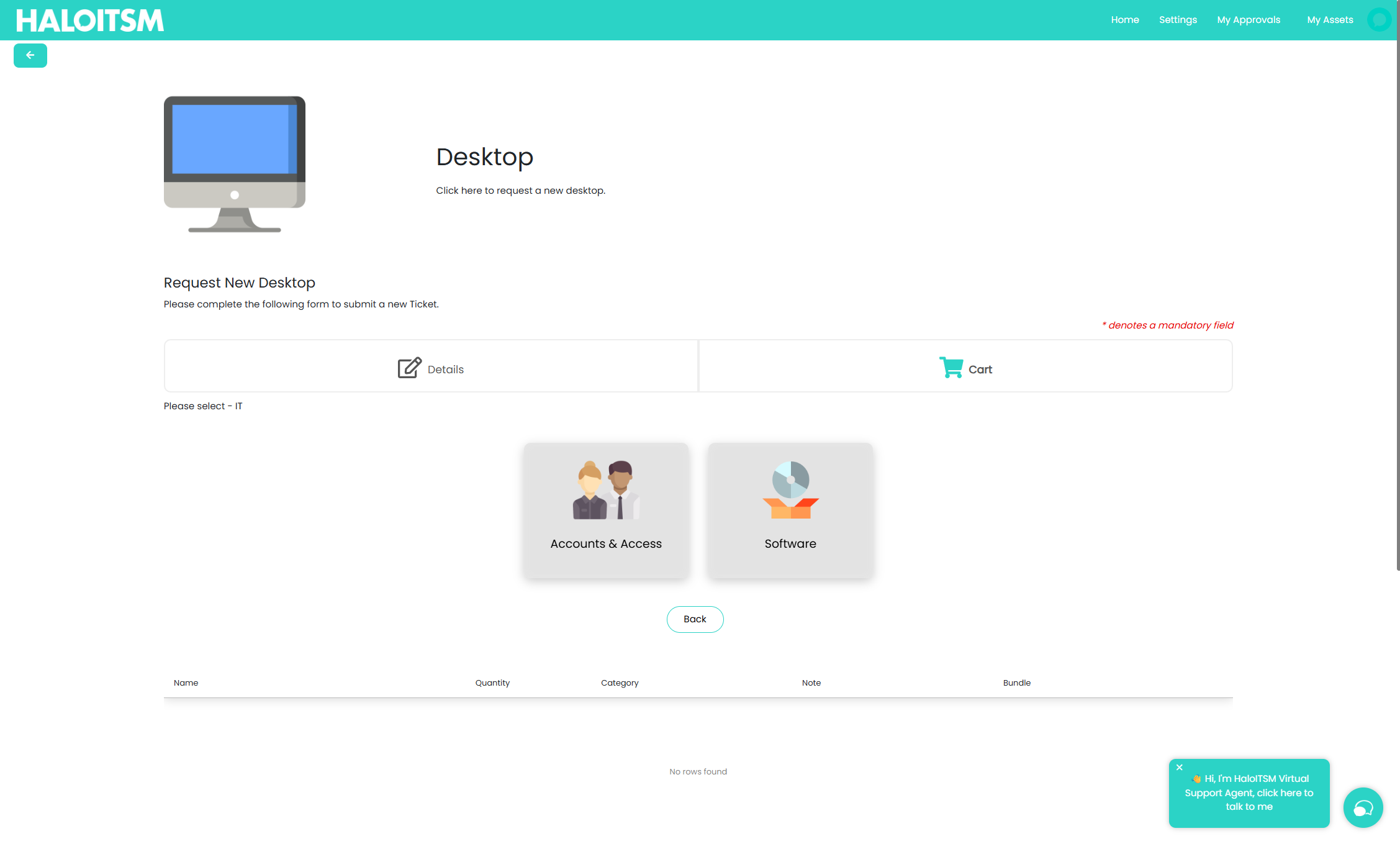
Optional services can now be configured to display as a catalogue-style list within the service request details page, allowing users to add individual services selectively rather than choosing from a fixed list. Services can also be configured as item selection services, enabling users to select individual items or bundles, specify quantities, and add notes before adding them to a cart.
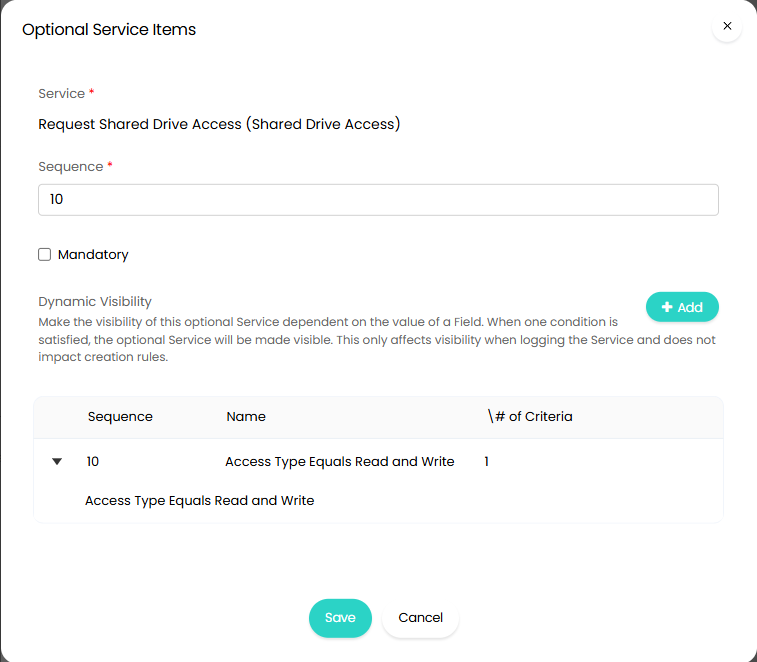
Furthermore, optional services now support visibility conditions, ensuring they are only shown when relevant based on user input, creating a more guided and intuitive request experience.
3. Redesigned Service Status Alerts on the Self-Service Portal
Service status updates on the portal have been redesigned with a new alert-based layout.
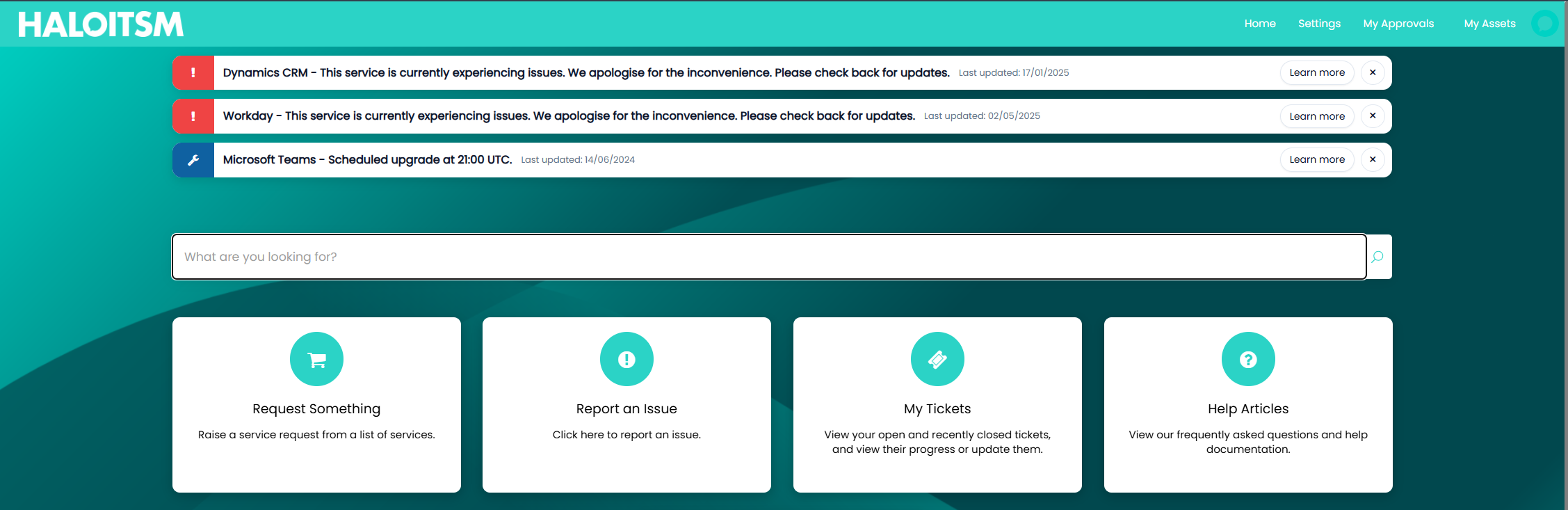
New display type options configured against the self-service portal show service updates as dismissible alerts on the portal home screen. Alerts are prioritised by severity and display the service name, public note, and last updated date. Users can navigate directly to impacted services to log incidents or follow ongoing issues.

Alerts remain dismissed for the duration of the browser session and will reappear when users log back in. Alongside this, a new setting has also been introduced to allow services being marked as Requires Attention to be displayed on the portal with a dedicated status, improving transparency while maintaining control over visibility.
Additional styling flexibility has also been introduced with a new CSS class on the portal background, allowing greater control over full-screen background imagery.
4. Reporting Visual Enhancements & AI Analysis in PDFs
This release includes several refinements to reporting visuals and report outputs, helping teams present insights more clearly and consistently.
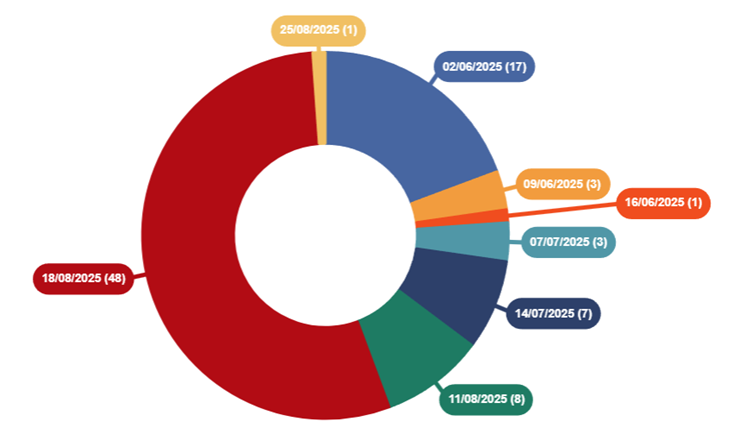
Pie and doughnut charts now benefit from an improved data label style that reduces overlap when segments are positioned close together. To help keep charts readable when working with many small values, a minimum threshold can now be set for rendering data labels, ensuring focus remains on the most meaningful information, while report creation and last edited dates are now displayed within the reports overview to provide additional context and transparency.

Reporting has also been extended with new AI analysis variables for PDF templates. You can now include the latest AI-generated report analysis and the date it was performed directly in report outputs using $REPORTAIANALYSIS and $REPORTAIANALYSISDATE. AI analysis can be enabled globally, and the aforementioned variables can be included in scheduled and composite reports, with support for referencing analysis per report within a composite report.
5. AI Translation for the Self-Service Portal
AI-powered translation is now available for the Self-Service Portal using Azure AI Translator.

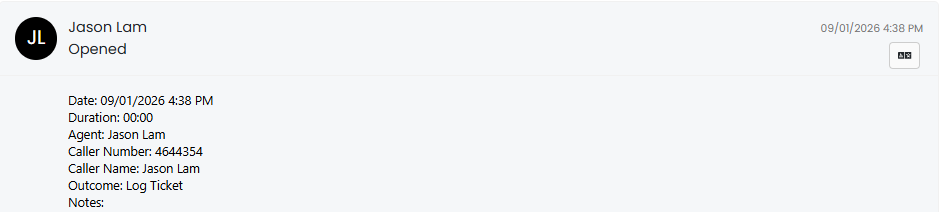
Alongside translating portal language using AI, users can translate portal actions into their current language using a translate button, improving accessibility and usability for multilingual user bases. This feature is configured within the Self-Service Portal settings and the Azure AI Translator integration and applies specifically to the portal experience.
6. Portal Search Enhancements for Request Forms
Search within the Self-Service Portal has been enhanced with new configurations to improve result visibility and relevance.

Administrators can now enable search totals, displaying the number of results returned for each searchable entity directly on the portal search buttons. This gives users immediate feedback on where results are available before drilling in further.
Service searching has also been refined so that results return individual service request forms rather than just the parent service, making it easier for users to find and access the exact request they need.
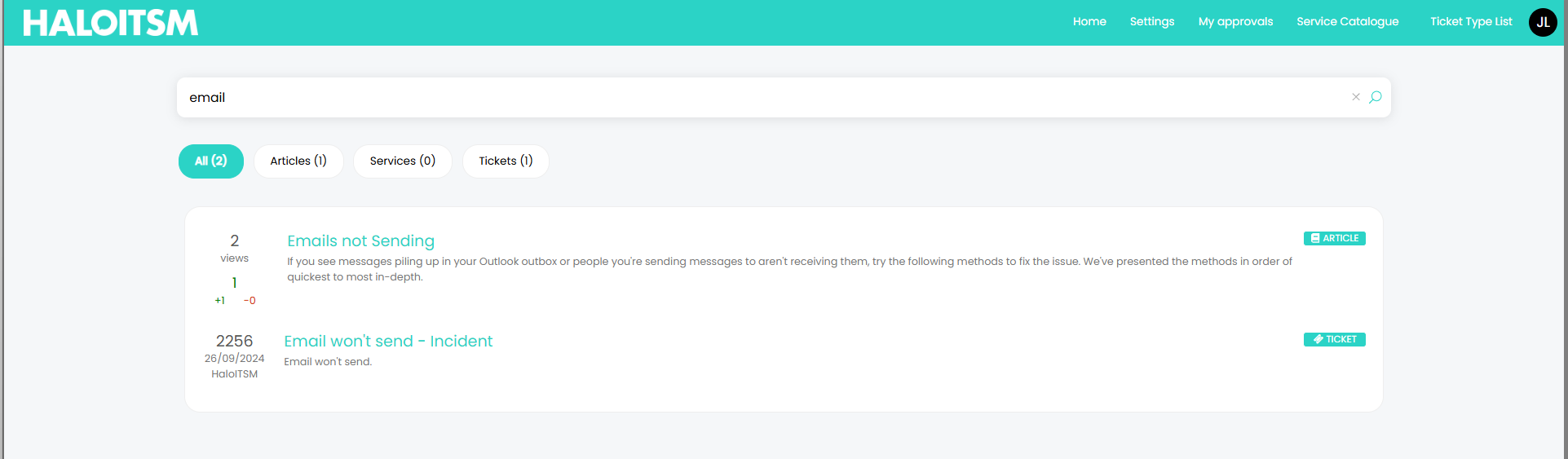
When searching across all entities, results can now be displayed as a single combined list rather than split into separate sections, making it easier to find relevant information quickly. Results are intelligently prioritised to surface the most useful content first, showing tickets awaiting a response from the user, followed by services, knowledge articles ordered by views and votes, and finally other open tickets.
Together, these improvements create a more intuitive and efficient search experience for portal users.
7. Self-Service Portal as a Progressive Web App (PWA) with customisable favicon and organisation details
Hosted customers with a Self-Service Portal on a dedicated hostname can now further customise their portal branding and experience.
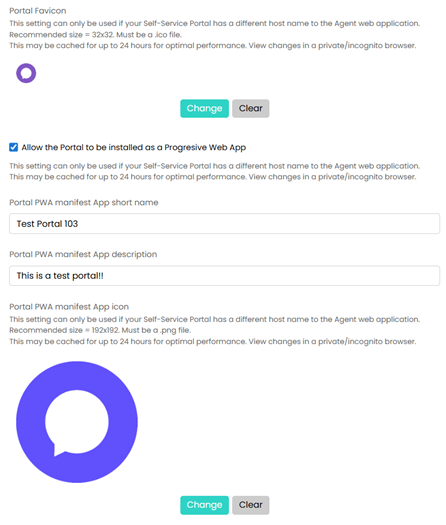
The portal favicon can be configured directly from the Organisation Details screen, and a new option allows the portal to be installed as a Progressive Web App (PWA), similar to the agent application. The PWA is dynamically built using organisation details, allowing the app name, description, and icon to be customised for a consistent, branded user experience.
8. Dynamic Search Profiles & SLA Breach Visibility
Ticket filtering has been enhanced with the introduction of Search Profiles, providing a more flexible and shareable way to work with ticket lists.
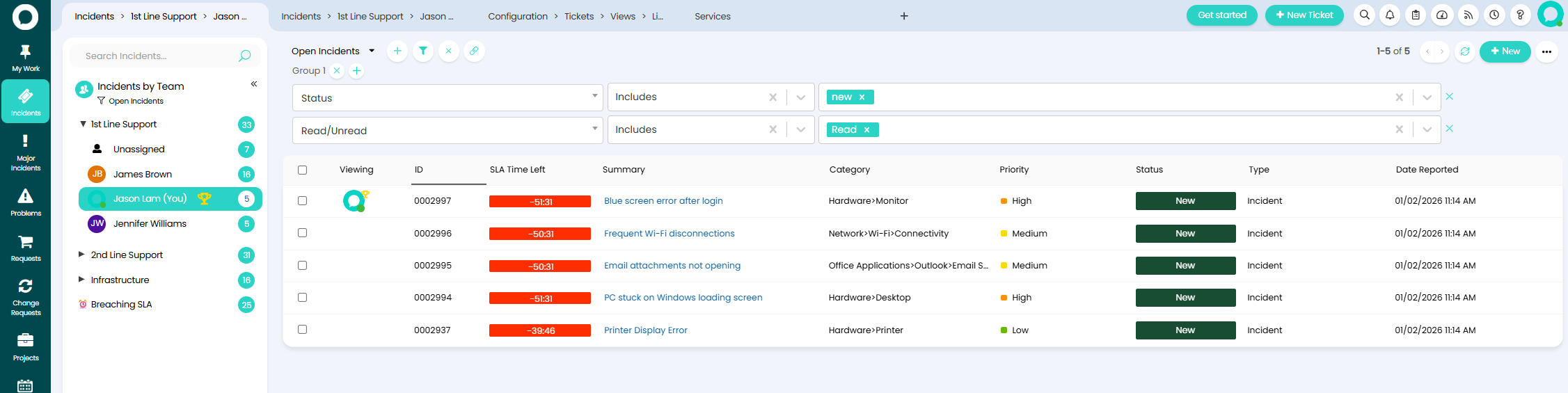
When enabled in Tickets > General Settings, dynamic filters are available across all ticket lists, including child tickets and other views. Agents can apply multiple filters, temporarily ignore existing list or view filters, clear filters quickly, and copy filter configurations to share with other agents via a click of a button. Applied filters are also reflected in the URL, making collaboration easier.
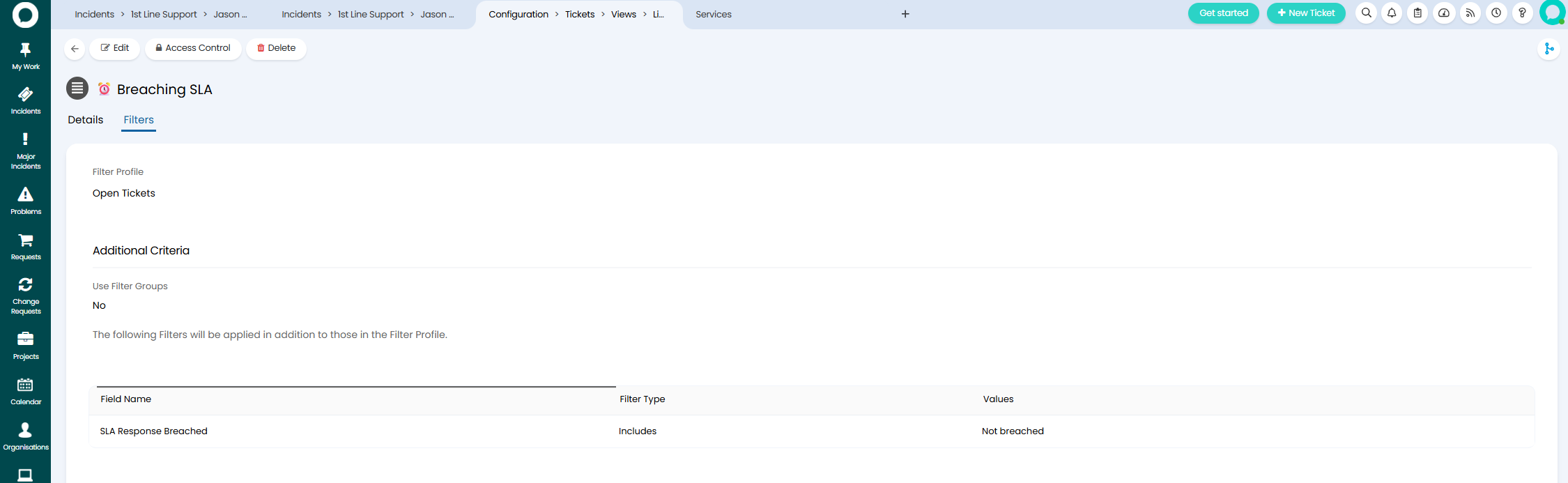
Moreover, SLA response and resolution breach criteria are now available within ticket lists and ticket areas, giving teams clearer visibility of SLA risks and breaches directly within their day-to-day workflows.
9. Automatic Approval Delegation for Out-of-Office Users
A new user-level setting allows approvals to be automatically delegated when a user is marked as out of office.
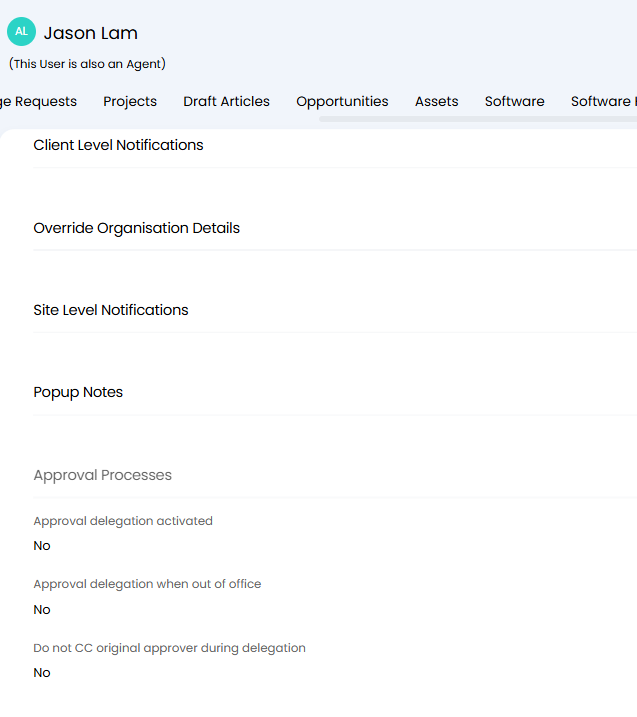
This ensures approval workflows continue without interruption during planned absences and reduces delays caused by unavailable approvers.
10. Primary CI Updates from Dependency Diagram within Tickets
You can now change the primary configuration item on a ticket directly from the asset dependency diagram.
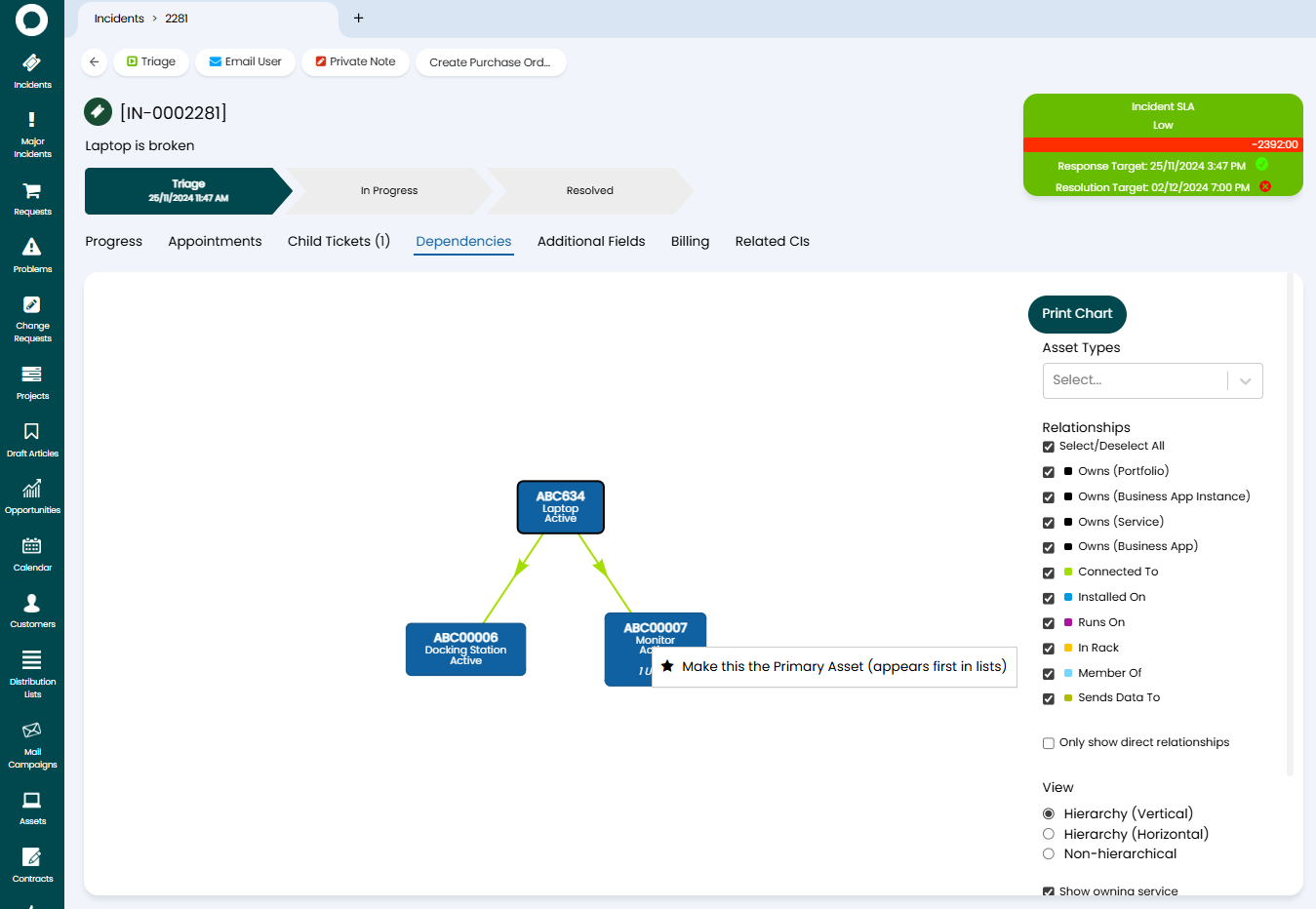
By right-clicking on an asset, agents can quickly set it as the primary CI without leaving the diagram view, simplifying and automating ticket updates when working with complex dependencies between configuration items.
11. Consistent Rich Text Editing Across the Platform
A new configuration option in advanced settings has been introduced to help maintain consistency when using rich text fields across the platform.
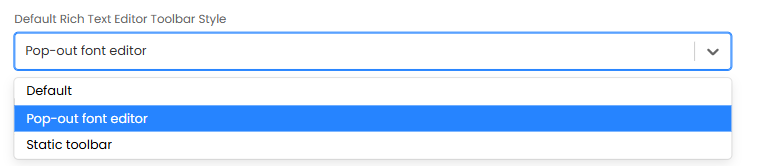
Administrators can now define a default Rich Text Editor toolbar style, ensuring the same formatting options are applied wherever rich text fields are used.
12. Calendar View Improvements
Calendar views have been enhanced with greater flexibility over event titles.
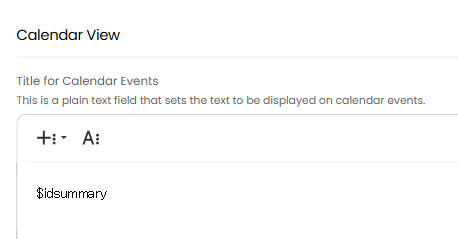
A new column profile setting allows you to define the title displayed for calendar events using dollar variables, making it easier to surface relevant ticket information directly within the calendar, consistent with tile and Kanban views.
13. Improved Control Over Views on “Other Open Tickets”
New configuration options provide greater control over the Other Open Tickets view.


Administrators can now define the default entity shown for this view and apply ticket-type-specific filter profiles, ensuring agents see the most relevant information relating to the user by default without leaving the ticket screen.
14. Dashboard Grouping with Tabbed Navigation
Dashboards can now be grouped and navigated using tabs, making it easier to manage and switch between multiple dashboards.
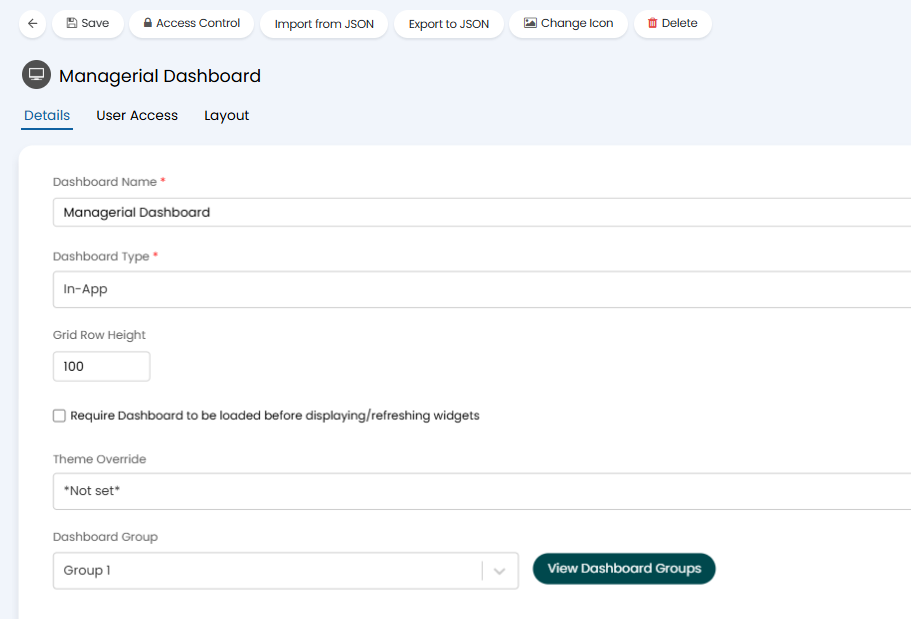
When enabled in Configuration > Reporting > General Settings, dashboards can be organised into groups and viewed within a single window. Users can filter by dashboard group, select entire groups or individual dashboards, and seamlessly switch between dashboards within the same group using tabs.
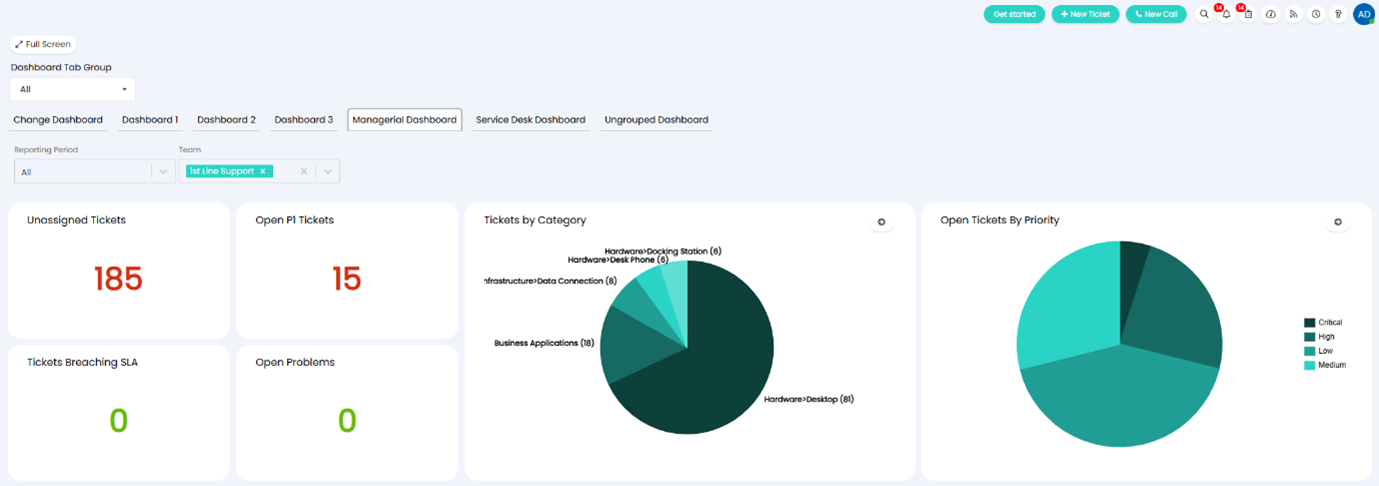
Ungrouped dashboards will remain accessible when viewing all dashboard groups, ensuring backward compatibility while offering improved organisation for larger dashboard sets.
15. Modernised Ticket Field Tables for better user experience
Two new variables, $ALLFIELDSCARD and $ALLFIELDSCFCARD have been introduced to pull through a modernised styled table for all fields and/or custom fields details for a Ticket.
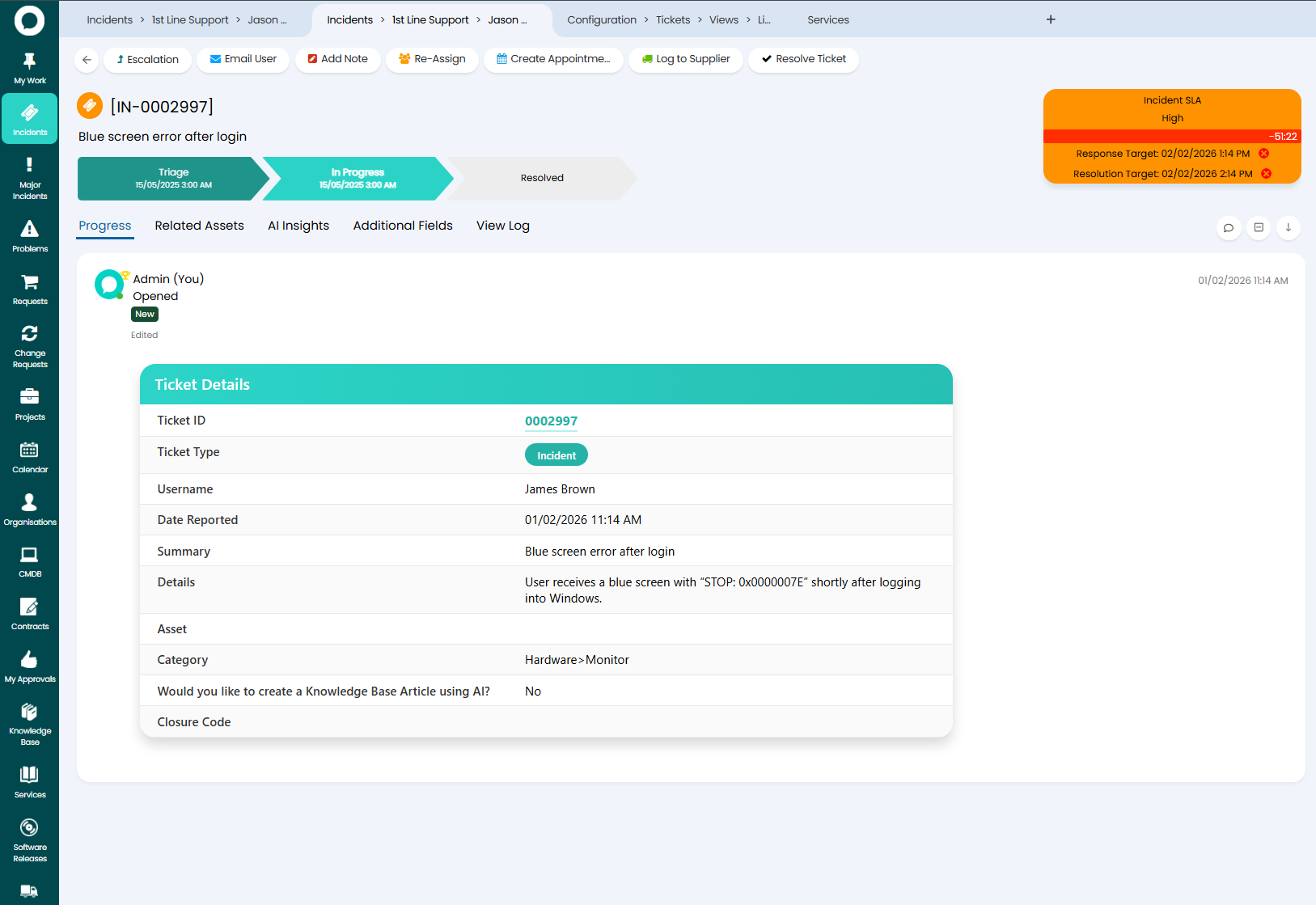
In addition to ticket-level field tables, a new $ALLASSETFIELDSCARD variable has also been introduced for asset reporting, providing a consistent way to display asset information across reports and outputs.
Integrations
Sailpoint IIQ Integration is now Available

Google Maps Integration is now Available

Want to Find out More?
For further information and to see all new features, click the question mark in the top right of your screen, then select ‘Show Release Details’.
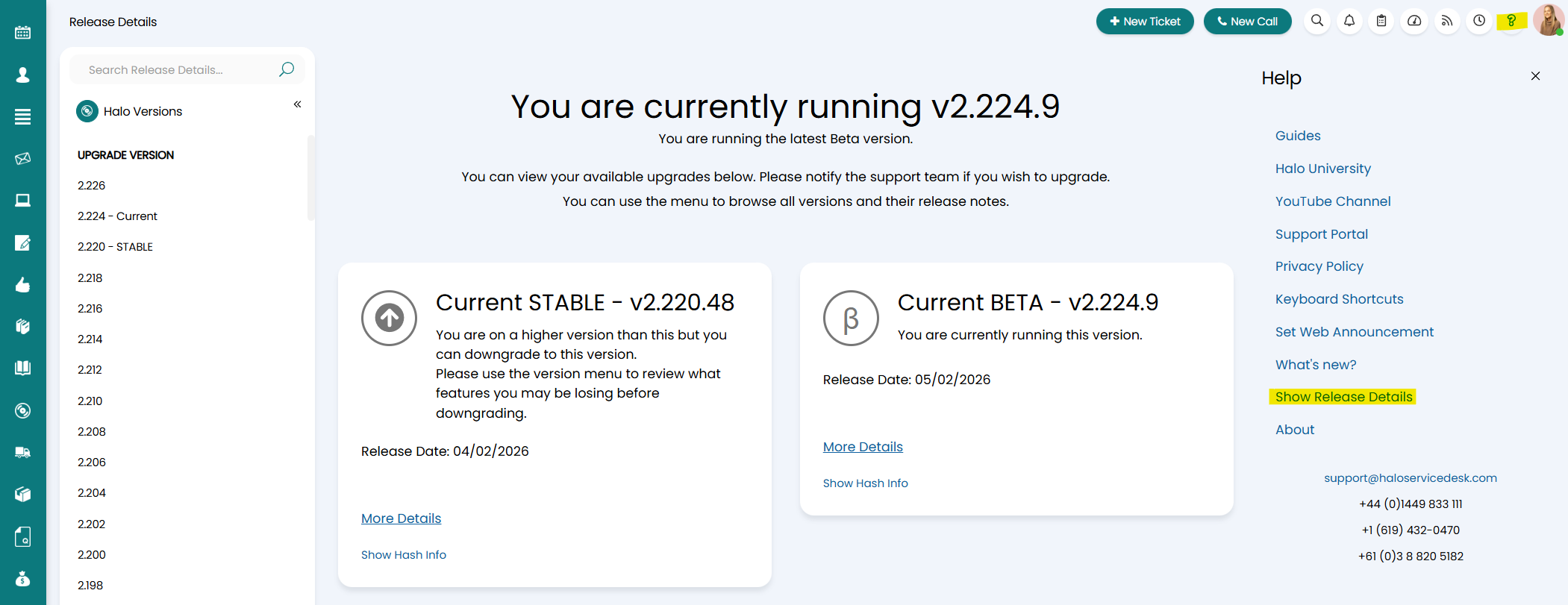
To find out more information about future developments, look at our roadmap here!
If you’d like to speak to one of our team about specific features, or have any more specific questions, please contact your Customer Success Manager or feel free to contact us and we will get in touch as soon as we can!