































What's New in HaloPSA - Q4 2025
Discover all the key new features and improvements that have been released in Q4 of 2025.



Start your free 30-day Halo trial with all features and modules included.
No credit card required - simply choose the setup that best fits your business and get started in minutes.


Tenant

Teams & Agents

Users


Tickets
Halo AI

Asset Mgmt

Billing

Calendars & Appts

Call Mgmt

Chat

Contracts

Document Mgmt
Forecasting
Event Mgmt

Knowledge Base

Items & Stock

Notifications

Project Mgmt

Purchase Orders

Reporting

Self-Service Portal

Services

SLAs

Software Releases

Suppliers

Supplier Contracts

Time Management

Language

Custom Objects

Integrations

Migrations
Organisation
Teams & Agents
Users
Tickets
Halo AI
Asset Mgmt

Billing
Calendars & Appts
Call Mgmt
Chat

Agreements
PDF Templates
Documents

Forecasting
Event Mgmt
Knowledge Base
Items & Stock
Notifications
Project Mgmt
Purchase Orders
Quotations
Remote Support
Reporting

Sales
Sales Orders
Self-Service Portal
Service Catalogue
SLAs
Suppliers

Supplier Agreements
Time Management
Language
Custom Objects
Integrations
Migrations
Organisation
Teams & Agents
Contacts
Quotations
Sales
Records
Halo AI

Segments

Campaign
Calendars & Appts
Call Mgmt
Chat
Forecasting
Knowledge Base
Items & Stock
Notifications
Project Mgmt
Reporting
Self-Service Portal
SLAs
Language
Custom Objects
Integrations
Migrations
Organisation
Teams
Agents

Roles

Contacts
Call Mgmt
SMS
Social Media
Chat
Self-Service Portal

Web Widget
Forms

Workflows

Rules

Canned Text

Surveys
Knowledge Base
Notifications
SLAs
Suppliers
Halo AI
Areas

Views
Calendars & Appts
Reporting
Time Mgmt
Language
Custom Objects
Integrations
Migrations
Forecasting
Project Mgmt
Discover all the key new features and improvements that have been released in Q4 of 2025.
This release introduced a set of enhancements focused on improving day-to-day efficiency, configurability, and automation across the platform.
From smarter AI-driven categorisation and acknowledgements, to faster configuration management and improved ticket filtering, these updates are designed to help teams work more effectively while maintaining control and flexibility as they scale.
See what’s new below.
1. Dynamic Filters on Ticket Lists
A new setting under Configuration > Tickets > General allows agents to create dynamic filters when viewing any ticket list.
These filters can be shared via a direct link, giving agents greater autonomy to customise their views and quickly surface tickets that meet specific criteria.


Read our guide for more help with Filter Profiles.
2. AI Category Suggestions
A new setting has been introduced under Configuration > AI: Enable AI suggestions for Category Values. When enabled, up to 50 category values can be selected for the AI to consider during category evaluation.
This introduces a new approach to category assignment that does not rely on accurate historical ticket data being present in your Halo system. Instead, AI analyses the details of each ticket and intelligently aligns it with the most appropriate category.
This works alongside the existing historical-matching method (which remains available), giving customers the flexibility to choose the approach that best fits their environment. For organisations that are new to Halo, have limited historical data, or are unsure of the accuracy of their existing data, this ensures AI features can still be used effectively, unlocking time-saving automation across triage, reporting, and billing processes.


Find out more about AI Insights with our guide.
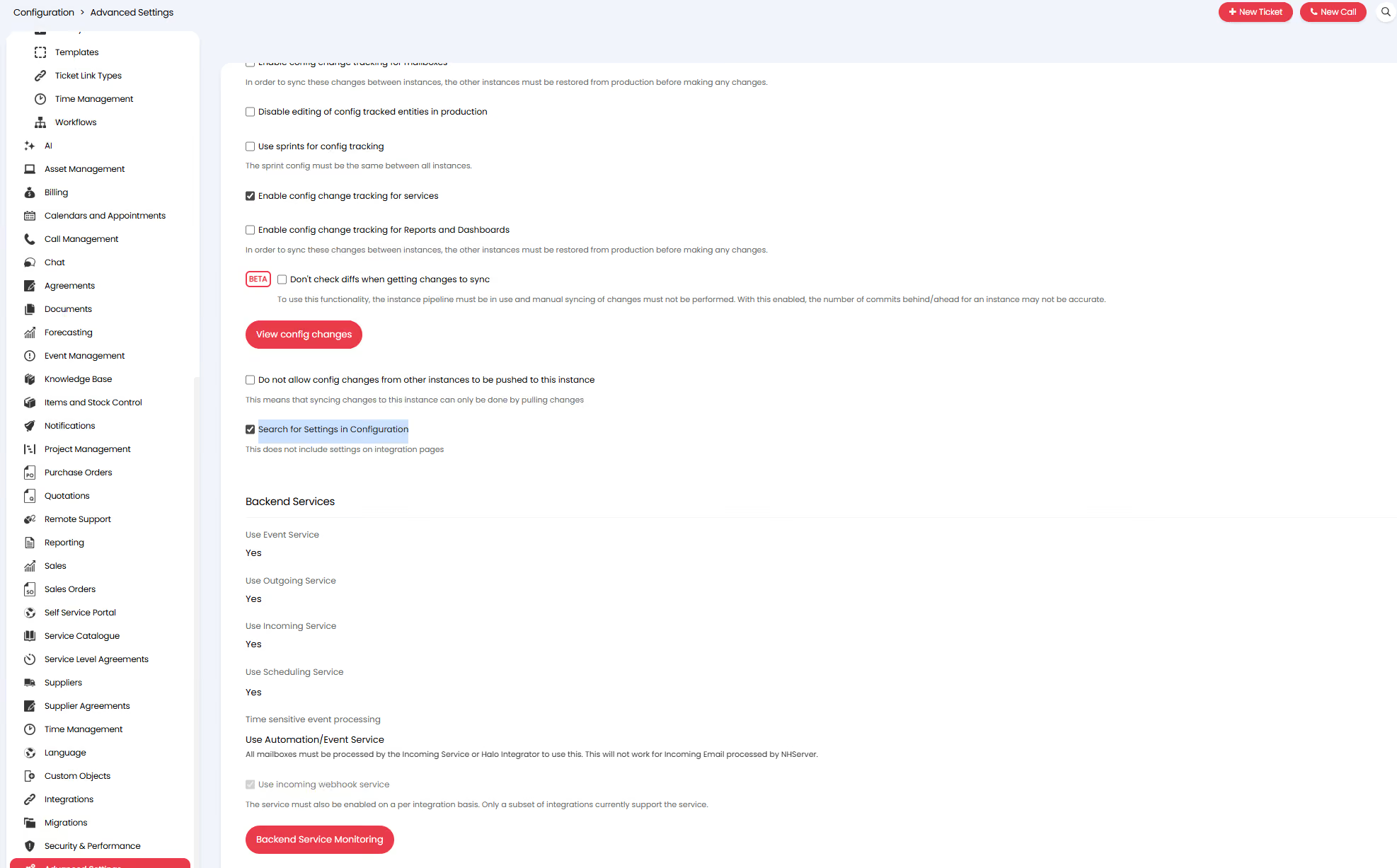
3. Search for Settings in Configuration
HaloPSA’s flexibility is one of its biggest strengths, but with thousands of configuration options, finding the right setting can sometimes be time-consuming.
To address this, a new option under Configuration > Advanced Settings enables search across all Configuration menus.
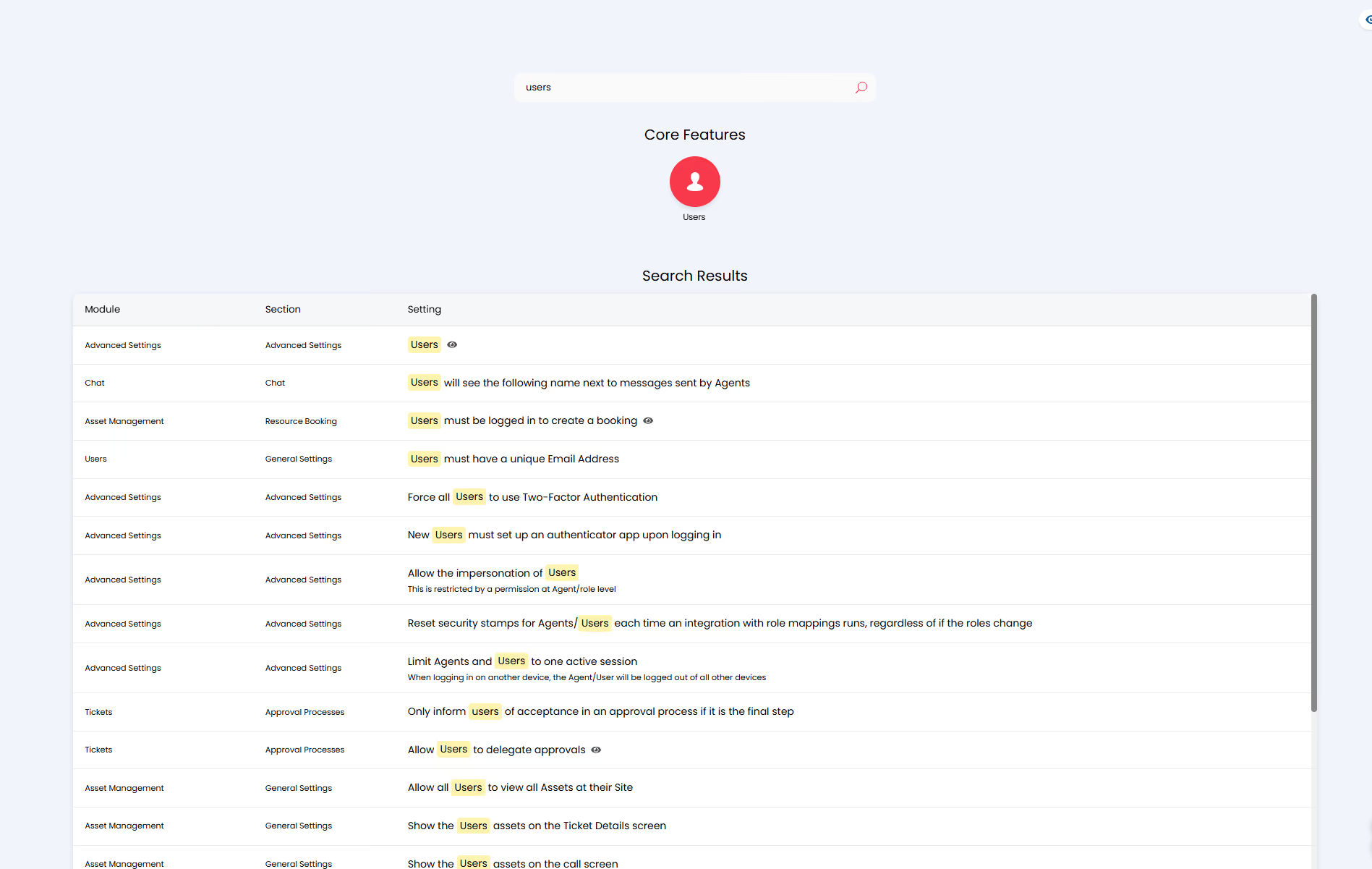
Administrators can now search for a setting by name, jump directly to the relevant configuration page, and automatically scroll to the selected option. This significantly improves speed and usability when managing or reviewing configuration changes.
Configuration search is available across all configuration modules, excluding Integration pages.
Read our guide on Searching Entities for some more help.
4. Filter Options on Child Tickets
Designed to enhance the user experience across Project and Problem Management (among other areas), it is now possible to apply filter profiles to any Child Ticket tab.
Whether you’re reviewing remaining open tasks within a project or identifying incidents that have not yet been responded to as part of a Problem Management process, this feature enables technicians to quickly and efficiently identify child tickets that require their attention.

Read our guide on Filter Profiles.
5. CSP Subscription Product Import
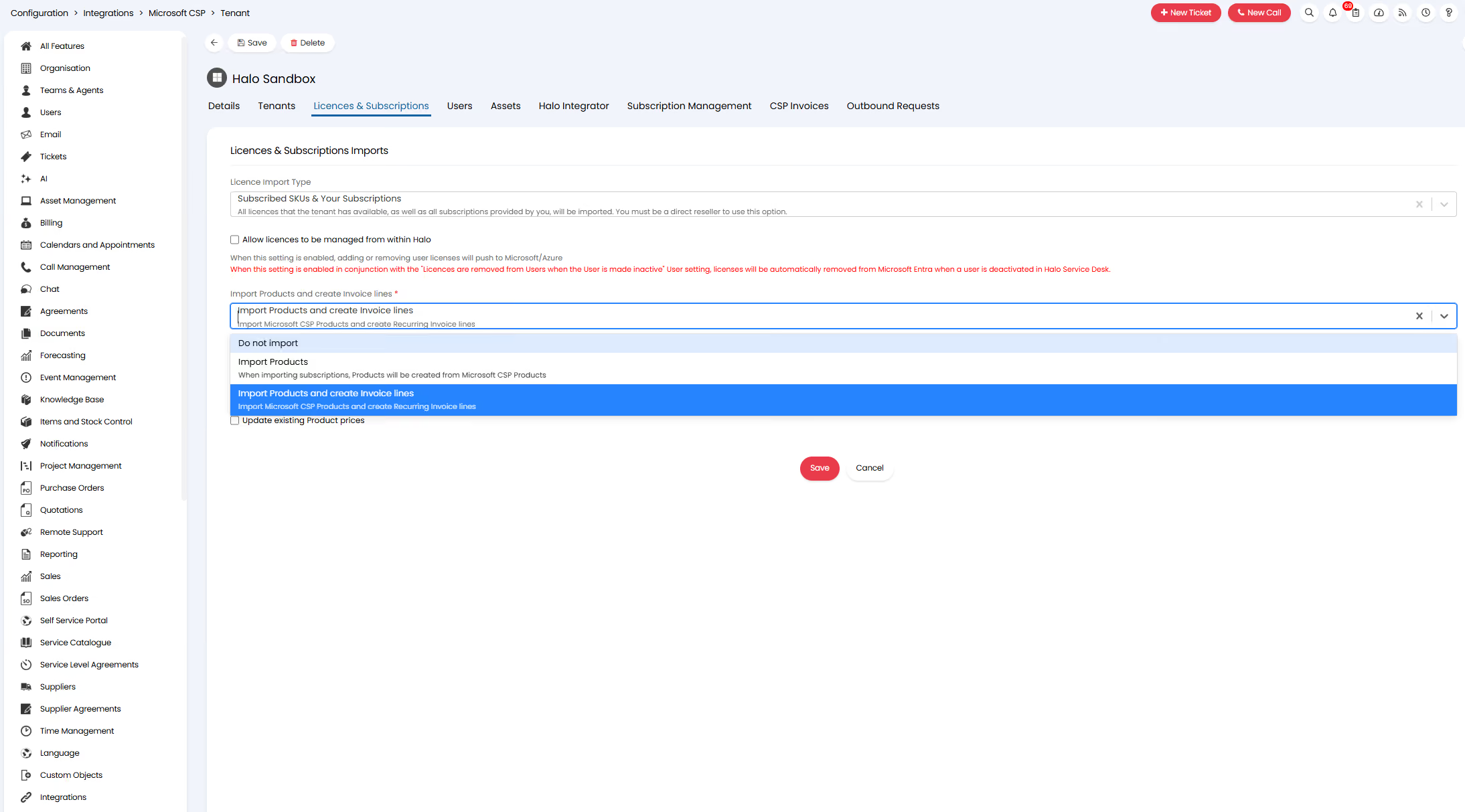
Building on existing processes used for other license management integrations, Subscription Product imports have now been added to the CSP integration.
This enhancement automates license billing by automatically creating new products when a subscription is imported into Halo via the CSP integration. A corresponding line item is then added to the client’s recurring invoice, with the quantity dynamically linked to the subscription’s license count.
Subscription pricing can also be imported directly from Microsoft’s Pricing List and matched to the relevant subscription, ensuring pricing remains accurate and up to date.
Note: This feature is available to direct resellers only.
Find out more about our Microsoft CSP Integration with our guide.
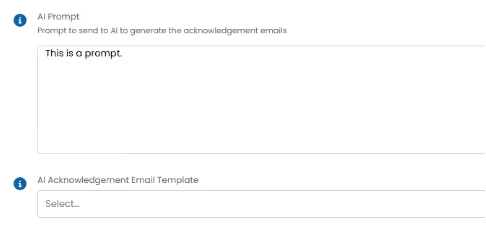
6. AI Acknowledgement Emails
A new option has been added to Ticket Type configuration to enable AI Acknowledgement emails.
When enabled, the standard pre-templated acknowledgement is replaced with an AI-generated response. A custom prompt can be defined at the ticket type level, allowing you to tailor the tone and content of the acknowledgement. Dollar variables can also be used within the prompt, enabling the AI to suggest initial resolution or remediation steps, or simply deliver a more personalised acknowledgement than a typical system-generated response.
To include the AI-generated content in your acknowledgement templates, use the new $AIACKNOWLEDGEMENT dollar variable.

Read our guide on AI Acknowledgement Emails.
Want to Find out More?
For further information and to see all new features, click the question mark in the top right of your screen, then select ‘Show Release Details’.

To find out more information about future developments, look at our roadmap here!
If you’d like to speak to one of our team about specific features, or have any more specific questions, please contact your Customer Success Manager or feel free to contact us and we will get in touch as soon as we can!